Seamlessify
Create tileable patterns from images with browser-based blending and optional AI generation.
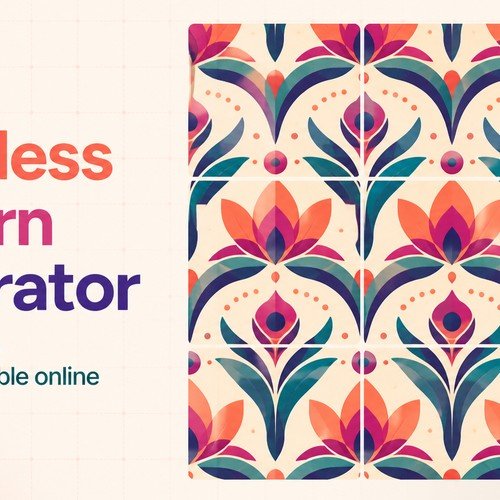
Seamlessify is an online seamless pattern generator for turning artwork, textures, illustrations, and AI images into repeatable tiles. Its browser-based direct stitching workflow lets users upload files, blend opposite edges, inspect repeats, and export production-ready PNG, JPG, or ZIP batches without installing Photoshop or creating an account. For creators who need new source artwork, optional AI image generation supports text prompts and reference images through Z-Image and Ideogram. It is designed for efficient pattern preparation for digital assets, surface design, print workflows, and product mockups.
Key Features & Capabilities
Core highlights, automation workflows, and capabilities offered by this tool
Browser
based direct stitching: Upload PNG, JPG, or WEBP files and process up to 100 images or 500 MB locally in the browser, keeping direct-stitching source files on the user's device.
Edge
aware seam blending: Overlap and feather opposing image edges to reduce white lines, hard joins, and abrupt color shifts that can break a repeating pattern.
Repeat inspection controls
Set horizontal and vertical tiling independently, then review the result in a dedicated 3 × 3 repeat view to spot seam problems before export.
AI generation and flexible export
Generate starting images from prompts or reference images with Z-Image or Ideogram, then export individual patterns as PNG or JPG, or process batches into a ZIP archive.
Surface pattern designers, digital artists, print-on-demand sellers, textile and wallpaper creators, game asset designers, and marketers producing repeatable visual backgrounds.
How It Works (Step-by-Step)
The end-to-end user journey from input to automated output
Step 1
Input an existing PNG, JPG, or WEBP image (up to 100 files / 500 MB) for direct stitching, or create a starting image with an AI text prompt or reference image using Z-Image or Ideogram.
Step 2
Processing happens locally in the browser for direct stitching. Set horizontal, vertical, or both-direction tiling; crop, overlap, feather, and blend opposite edges to reduce visible seams. Inspect the result in a repeat preview or 3 × 3 seam view.
Step 3
Output the finished seamless pattern as PNG or JPG, or export a batch of processed files as a ZIP archive. AI-generated images are retained in private history for 30 days.
Frequently Asked Questions
Quick answers to common questions regarding functionality, billing, and access